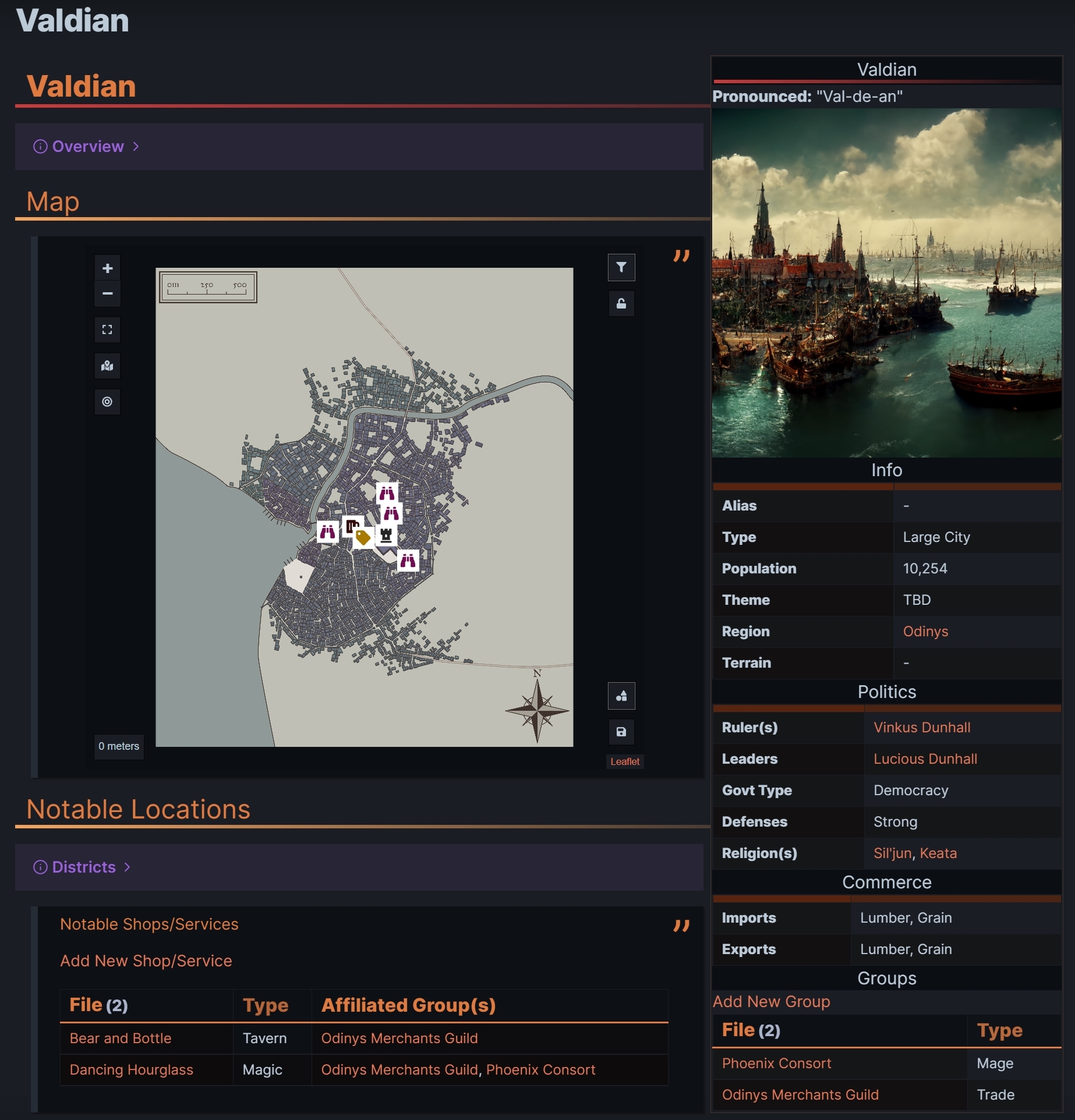
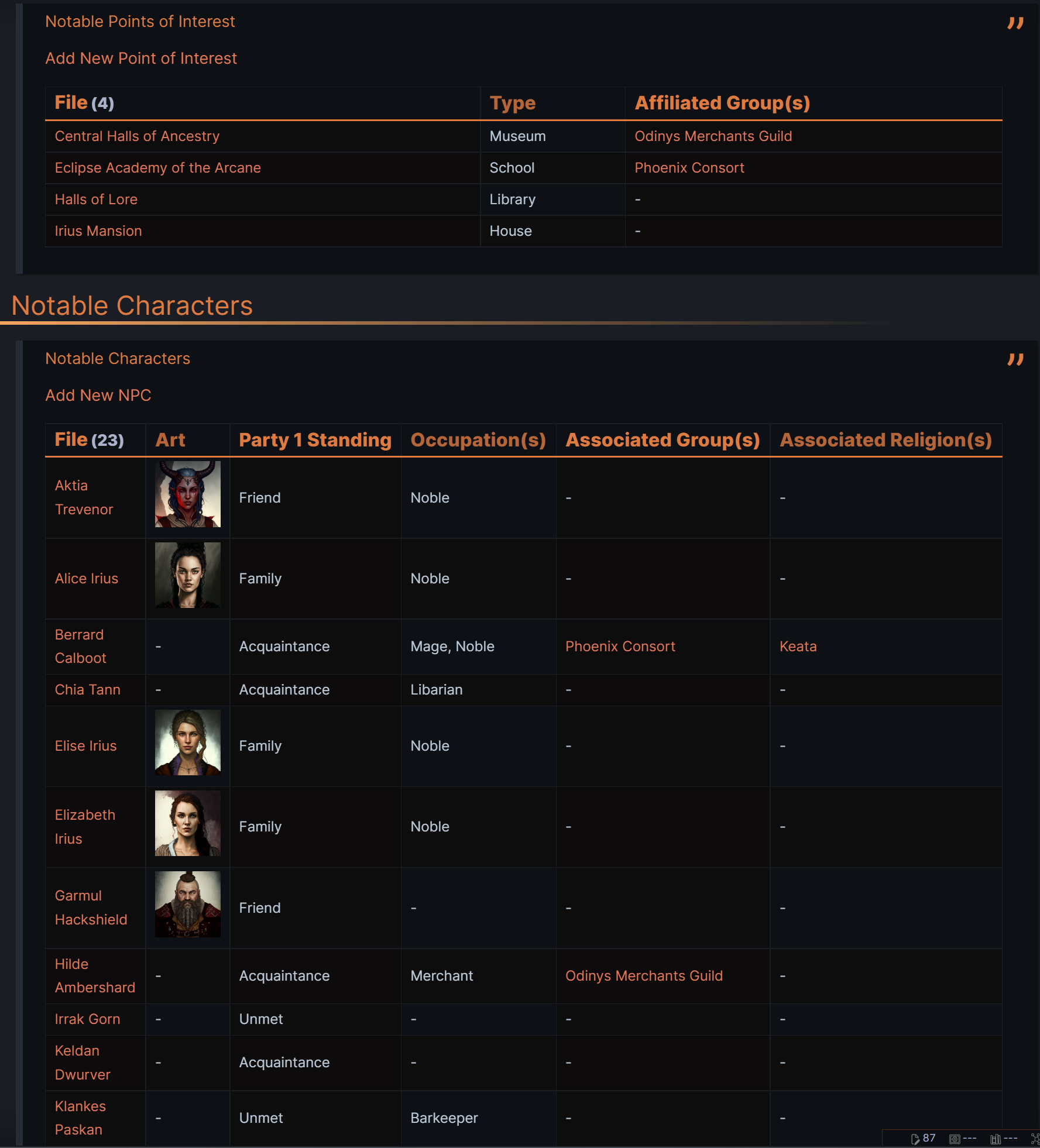
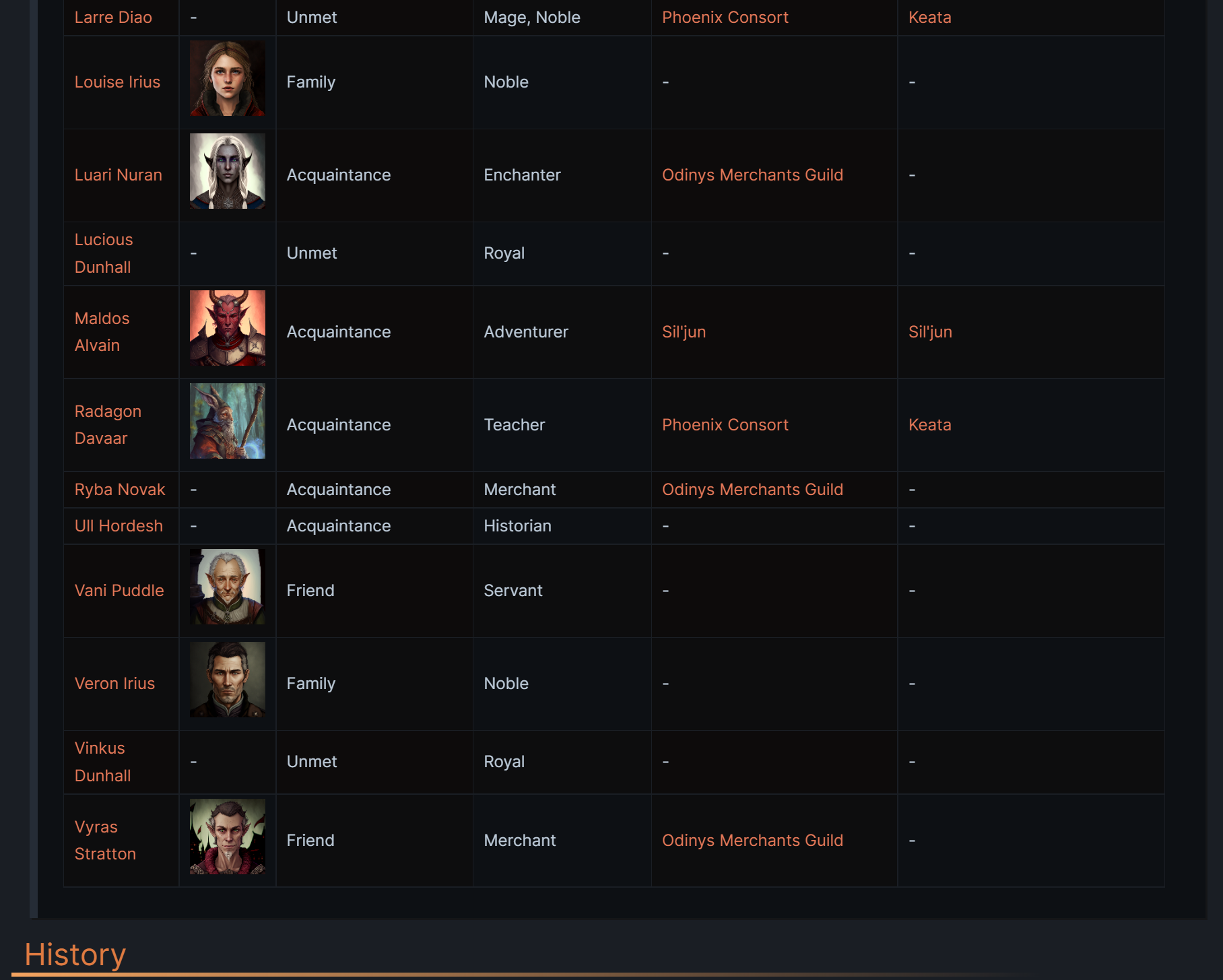
How to use:
Below is a template, when placed in Obsidian will look like the showcase above. To use this, you simple need to copy and past the box below. Once you have done this, with the correct plugins installed, you will have the above template. This works in conjunction with the Database - Settlement.
YouTube Showcase
Plugin Requirements
- Dataview: https://github.com/blacksmithgu/obsidian-dataview
- Database Folders: https://github.com/blacksmithgu/obsidian-dataview
- ITS Theme (Appearance): https://github.com/SlRvb/Obsidian—ITS-Theme
- Obsidian Leaflet: https://github.com/valentine195/obsidian-leaflet-plugin
> [!infobox]
>
> # `=this.file.name`
> **Pronounced:**  "`=this.Pronounced`"
> ![[PlaceholderImage.png|cover hm-sm]]
> ###### Info
>  |
> ---|---|
> **Alias** | `=this.alias` |
> **Type** | `=this.type` |
> **Population** | `=this.population` |
> **Theme** | `=this.theme` |
> **Region** | `=link(this.Region)` |
> **Terrain** | `=this.terrain` |
> ###### Politics
>  |
> ---|---|
> **Ruler(s)** | TBD |
> **Leaders** | TBD |
> **Govt Type** | `=this.GovtType` |
> **Defenses** | `=this.defences` |
> **Religion(s)** | `=link(this.religions)` |
> ###### Commerce
>  |
> ---|---|
> **Imports** | `=this.imports` |
> **Exports** | `=this.exports` |
> ###### Groups
> [[Group Database|Add New Group]]
> ```dataview
table join(Type, ", ") AS Type
WHERE econtains(Location, this.file.name) AND contains(NoteIcon, "Group")
SORT Type ASC

# **`=this.file.name`**
> [!info|bg-c-purple]- Overview
TBD

## Map
> ```leaflet
> id: TBD
> image: [[PlaceholderImage.png]]
> height: 600px
> width: 640px
> lat: 50
> long: 50
> minZoom: 1
> maxZoom: 5
> defaultZoom: 1
> unit: meters
> scale: 1
> darkMode: false
> ```

## Notable Locations

> [!info|bg-c-purple]- Districts
TBD

> ###### Notable Shops/Services
> [[Shop & Service Database|Add New Shop/Service]]
> ```dataview
table join(Type, ", ") AS Type, join(link(AffiliatedGroup), ", ") AS "Affiliated Group(s)"
WHERE Location = this.file.name AND contains(NoteIcon, "Shop")
SORT file.name ASC

> ###### Notable Points of Interest
> [[POI Database|Add New Point of Interest]]
> ```dataview
table join(Type, ", ") AS Type, join(link(AffiliatedGroup), ", ") AS "Affiliated Group(s)"
WHERE Location = this.file.name AND contains(NoteIcon, "POI")
SORT file.name ASC

## Notable Characters

> ###### Notable Characters
> [[NPC Database|Add New NPC]]
> ```dataview
table Art, Pronouns, Party1Standing AS "Party 1 Standing", join(Occupation, ", ") AS "Occupation(s)", join(link(AssociatedGroup), ", ") AS "Associated Group(s)", join(link(AssociatedReligion), ", ") AS "Associated Religion(s)"
WHERE Location = this.file.name AND contains(NoteIcon, "Character") AND !contains(Condition, "Dead")
SORT file.name ASC

## History
TBD

## DM Notes
### Plot Hooks


### Hidden Details


### General Notes